A good idea can get lost when it has to travel between platforms. Start with the clearest version of what you mean. Then give it a shape that feels native to the place people will find it.
ONE DRAFT · 32 WORDSSTARTING POINT
YOUR NEW DRAFTEDITABLE · LOCAL
Reshape a draft locally for its next platform.
AI Rewrite is an online feature in the extension. This preview never submits your text.
SCHEDULE DRAFTSREMINDER MODE · FREE
LinkedInXInstagram caption
Try the preview controls. They switch sample content only; no text is sent from this website.
VIBESHIFT · PRODUCT DEMO
One draft. More ways to share.
See how VibeShift reshapes a draft for LinkedIn, carousel slides, or an X thread.
SIGNALFORGE / EXTENSION PREVIEWMARKDOWN → EMAIL · WEB · TEXT
S signalforge LOCAL ILLUSTRATIVE · OFFLINE
SOURCE MARKDOWN
# A good idea deserves to travel

Write once in Markdown. Turn your draft into **clean HTML** for a newsletter or publishing workflow.

- Keep the structure
- Keep the links useful
ONE REQUEST · MARKDOWN
RENDERED OUTPUTLOCAL EXAMPLE
<h1>A good idea deserves to travel</h1>
<p>Write once in Markdown. Turn your draft into <strong>clean HTML</strong> for a newsletter or publishing workflow.</p>
<ul><li>Keep the structure</li><li>Keep the links useful</li></ul>
RENDERED RESULT
A good idea deserves to travel
Turn your draft into clean HTML for a newsletter or publishing workflow.
Illustrative extension preview only. This website does not process or send your Markdown.
02HOW TO USE SIGNALFORGE
STEP-BY-STEP GUIDE
Write once. Render for the destination.
SignalForge is a Chrome extension that turns Markdown into Email HTML, Web HTML, or Plain Text on your device. It does not publish or send the result for you.
01 / OPEN WORKSPACE
Install and open SignalForge.
Install SignalForge from the Chrome Web Store and open it from the toolbar. For a private test build, extract the supplied ZIP, open chrome://extensions, enable Developer mode, choose Load unpacked, and select the extracted extension folder.
02 / WRITE MARKDOWN
Start with a clean source.
In Workspace, type or paste Markdown into Source Markdown. Use # for the main heading, ## for sections, blank lines between paragraphs, - for bullets, and standard Markdown link/image syntax. The limit is 50,000 characters per document. Unsafe HTML and unsafe link schemes are removed.
03 / CHOOSE OUTPUT
Pick the destination format.
Email HTML adds a conservative set of inline styles. Web HTML creates sanitized semantic markup for a page or CMS. Plain text removes markup for text-only systems. Choose the format before rendering.
04 / RENDER & REVIEW
Check the output before copying.
Press Render HTML. Review the code and rendered preview; switch between Desktop and Phone widths. Content Check flags heading structure, missing image alt text, links to verify, inline email styles, and a 100 KB output target. These are checks, not a guarantee that every email client or CMS will display the result identically.
05 / PLACE IT CORRECTLY
Use the destination’s HTML editor.
Copying Email HTML copies source code. In Mailchimp or another email platform, paste it into that campaign’s HTML/code editor—not the ordinary message composer, which may show the tags as text. Send a test and inspect it in Gmail, Outlook, and Apple Mail before sending to customers. For a website, paste Web HTML into a Custom HTML block or source editor, then preview on desktop and mobile before publishing. Use Plain Text when the destination expects plain text.
06 / BATCH WORK
Render a set of documents.
Open Guide → Batch Render. Separate each Markdown document with a line containing only ---. Add 1–25 documents, keep each under 50,000 characters, choose Email HTML, Web HTML, or Plain Text, then render and review the per-document quality scores. Download JSON when you need a structured copy. In the paid extension, each document counts as one render against the monthly quota.
07 / OPTIONAL API
Keep API setup separate.
The API prototype is separate from the extension and is not needed for local Email/Web/Text rendering. Never paste an API key into SignalForge’s extension workspace.
08 / PAID ACCESS
Choose a plan and activate access.
Choose Starter or Studio in Plans and complete Stripe Checkout. Paste the Checkout Session ID from the confirmation page into Activate plan, then grant the optional Demon Studios permission when prompted so the extension can verify your subscription and quota. Each successful render uses one monthly unit; failed renders do not count and there are no automatic overages. Manage or cancel your subscription from the Plans screen.
LOCAL-FIRST MUSIC APP · IN DEVELOPMENT
SoundPulse✳
MUSIC · VISUALS · DJ CORNER
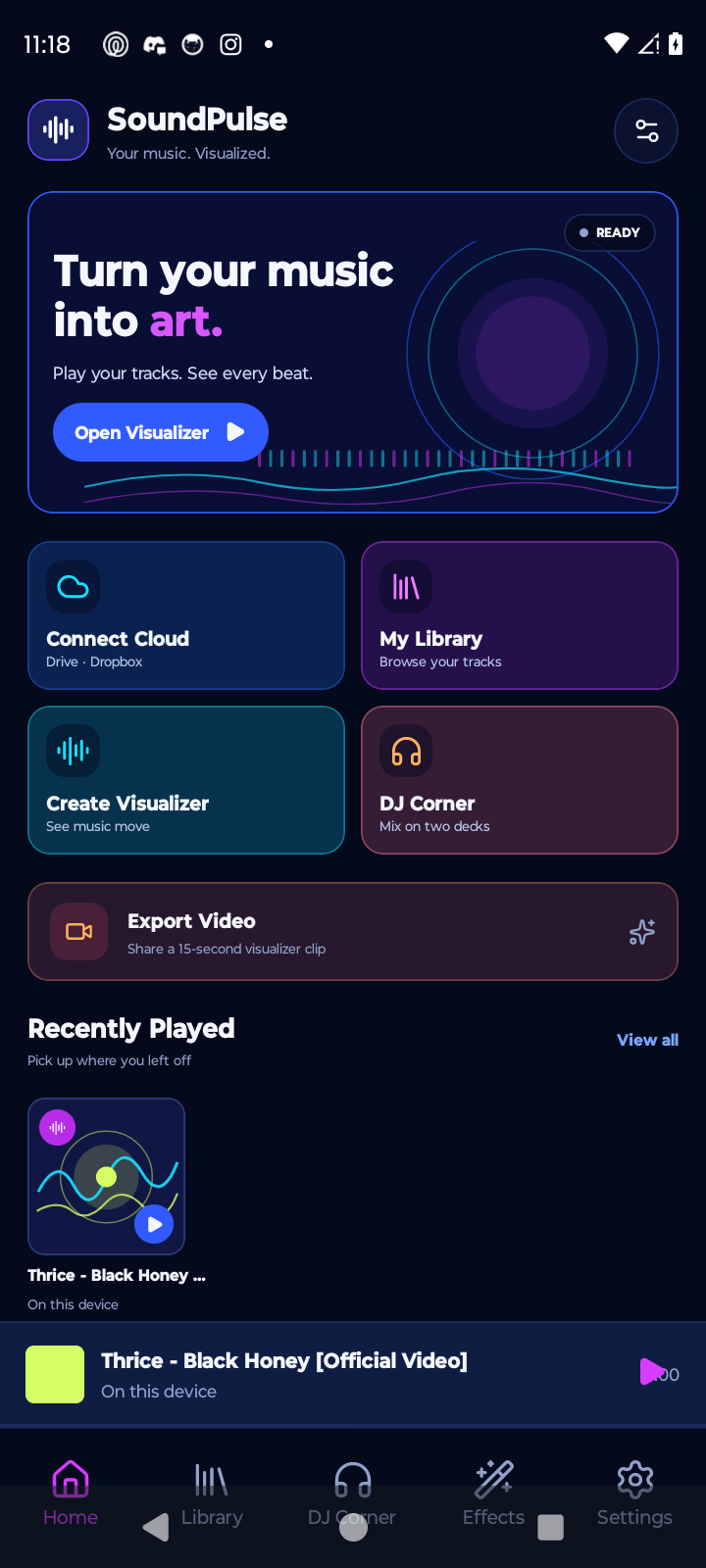
Play music from your device, visualize live frequencies, and mix two independent decks in DJ Corner.
ANDROID BUILD
SOUNDPULSE / ANDROID PREVIEW
Local tracks, an audio-reactive visualizer, device effects, and a dedicated DJ Corner.
SCREEN CAPTURE · OCTOBER 2026
03SOUNDPULSE / FEATURE GUIDE
LOCAL MUSIC · LIVE VISUALS
Your tracks, in a new light.
SoundPulse is a bring-your-own-music player for listening, visualizing, and mixing audio stored on your device. Here is what each part of the Android build does.
01
Local library & player
Import MP3, WAV, FLAC, M4A/AAC, Ogg/Opus, or AMR files into SoundPulse’s private app storage. Search tracks by title, artist, or album, browse those groupings, revisit recent tracks, and use shared playback controls as you move between tabs. File playback still depends on the audio codecs available on the device.
02
16 audio-reactive visualizers
Visual treatments respond to live frequency bands from music playing in SoundPulse. Android asks for audio-sampling permission first; analysis is of in-app playback, not a microphone recording. MilkDrop uses the projectM renderer and the 9,795-preset Cream of the Crop collection on Android, with automatic preset changes and a next-preset control.
SpectrumFrequency bars, a bass-pulsing core, and waveform
OrbitRadial frequency rays around a pulsing center
PrismKaleidoscopic facets shaped by frequency bands
TunnelPerspective frames that react to the music
DancerA line figure whose limbs move with the beat
DrawingLayered, frequency-shaped sound ribbons
FractalBranching rays that expand with audio energy
GeometricRadial facets that reshape across frequencies
HypnoticThree spirals that widen with the sound
ParticlesA bass-driven field of colored points
ReactionFrequency-colored ripples and orbiting points
SparkleTreble-responsive stars with bass-lit accents
SupernovaA radial burst shaped by bass and frequencies
WaveformMirrored, layered waves that follow the spectrum
TransitionCurved color sweeps shaped by the mix
03
Two-deck DJ Corner
Load separate local tracks into Deck A and Deck B, then blend them with the crossfader. Each deck has transport controls, track skipping, cue and jump-to-cue, track looping, and a touch-sensitive platter for scratch-style seeking. Adjust shared tempo by ±8% with pitch shift, tap a BPM reference, and use three-band EQ per deck on supported Android audio sessions.
04
Motion, light & touch
ScreenPulse briefly dims and pulses the screen on strong bass hits, capped at three flashes per second and preceded by a photosensitivity warning; it never uses the camera flash. Kinetic Lyrics animates lyrics that you paste yourself, moving with vocal-band energy; SoundPulse does not fetch or transcribe lyrics. Gyro Tilt shifts the visual perspective using the device sensor. Bone Touch Audio maps low- and mid-band energy to device vibration where supported; it is haptic feedback, not bone-conduction sound, and includes a five-minute maximum-intensity limit with a 30-second cooldown.
05
15-second video export
Create a portrait MP4 from a local track, with its audio and a generated animated waveform, then save it to the device’s media library or share it. Export requires media-library permission. The clip is rendered as a waveform treatment; it is not a screen recording of the MilkDrop renderer.
06
Private by default
Imported music stays in SoundPulse’s local app storage. Playback, FFT visualization, DJ mixing, and lyric animation operate on-device. Live spectrum analysis is opt-in on Android and does not record or save microphone audio; gyroscope tilt does not use the camera.
02CLIENT WEBSITES
SELECTED BUILDS
Websites for real businesses.
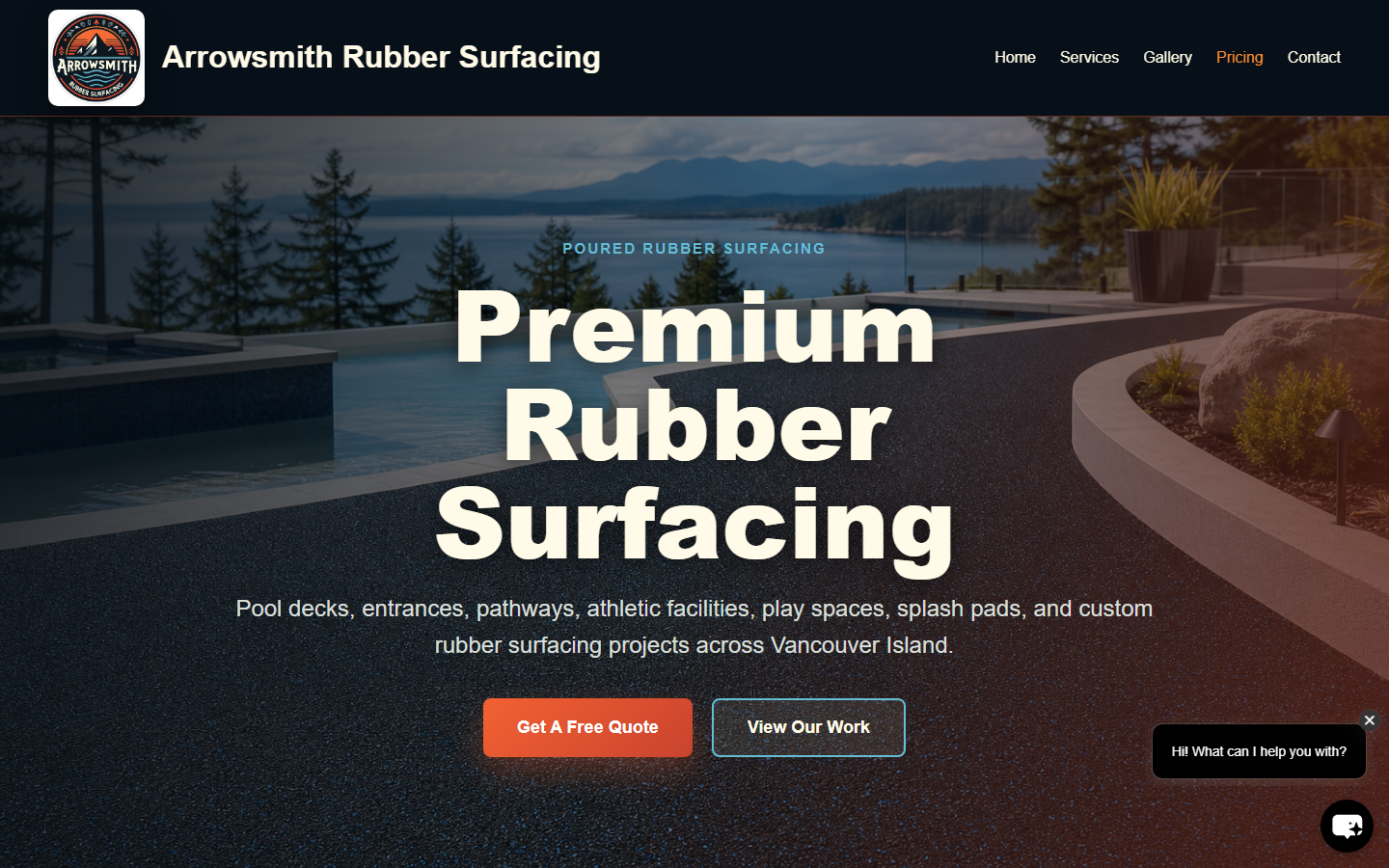
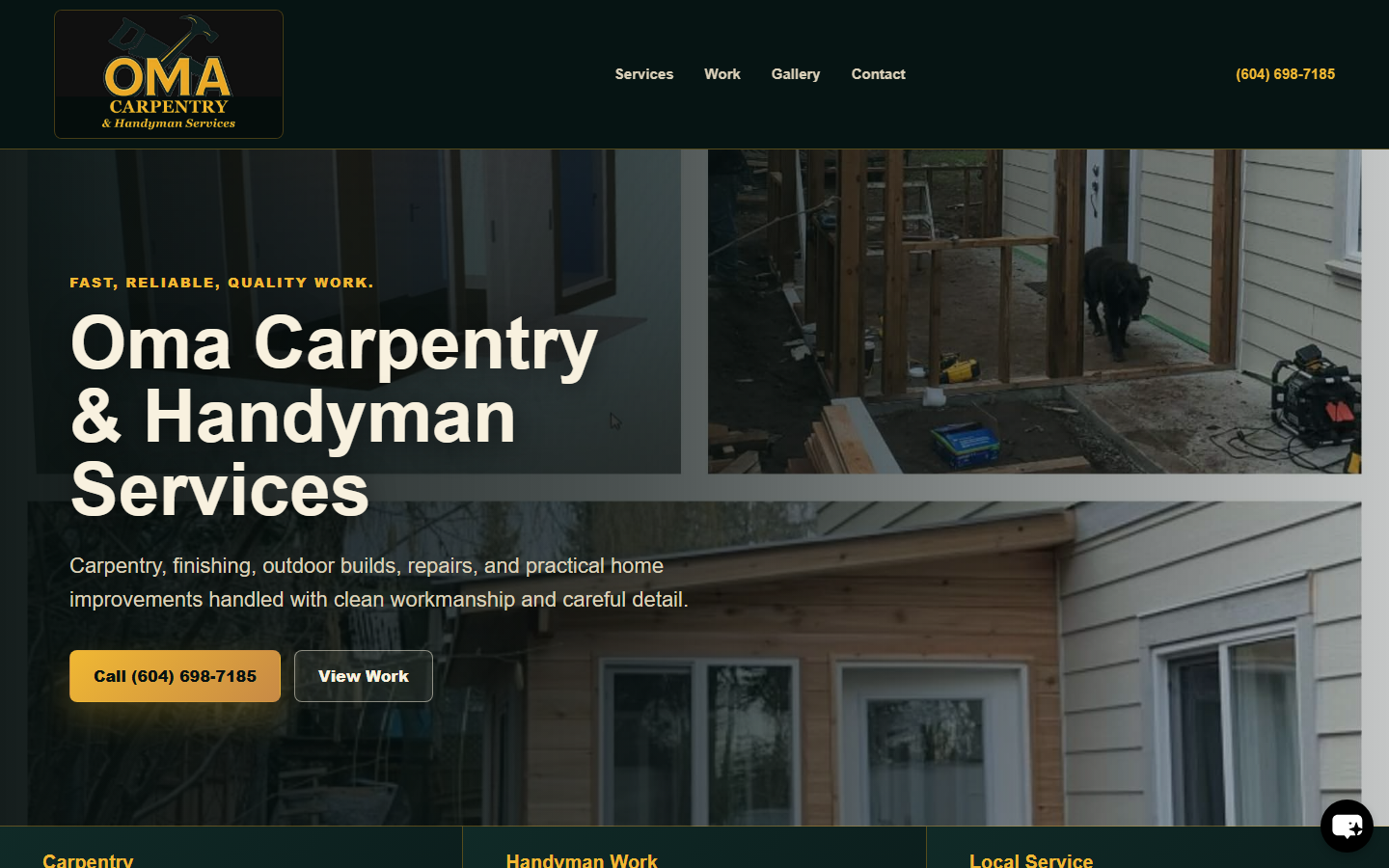
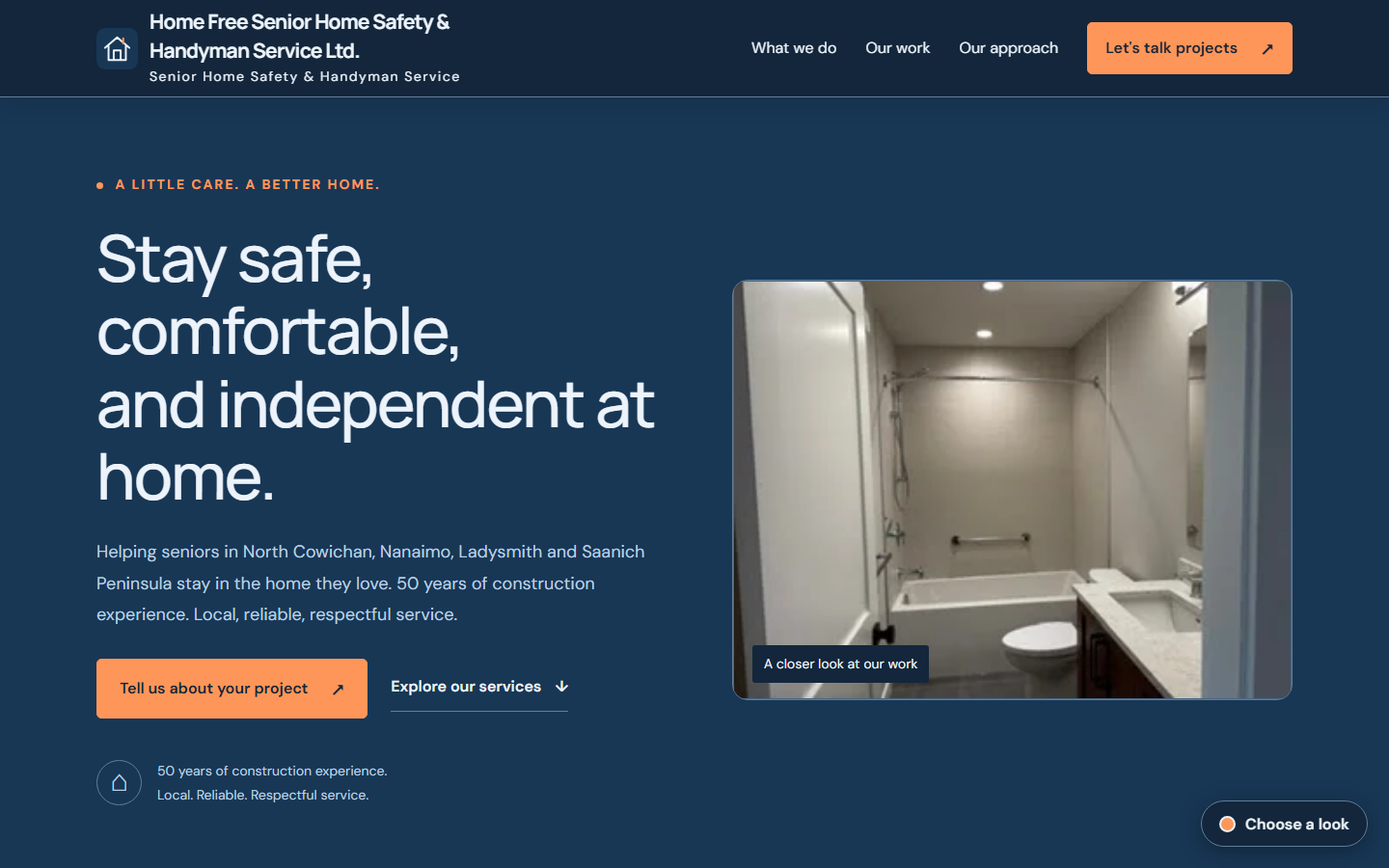
Service-focused websites designed to make each company’s work clear and its next customer step easy.